Planning for Your Lockbox Conversion
As we approach the conversion to your new lockbox provider, there are a few things we want you to be aware of.
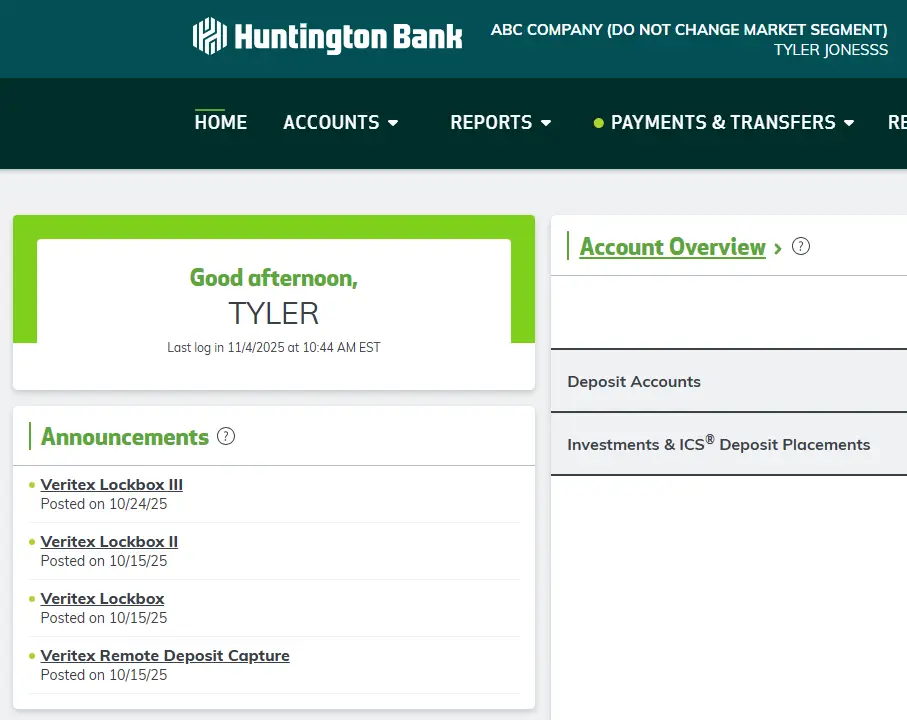
Before You Convert
Before your conversion date, you will access your existing Lockbox reporting via Business Online. After logging in, select the appropriate link in the Announcement section to the left of your interface. Please note these names will be changed to reflect your current provider.
New lockbox remit address
Lockboxes will receive a new lockbox remittance address, so you will have to update your billing address on invoices, digital footprint, estatements and wherever the remittance address appears.
- Your new lockbox mailing address will be located in Dallas, Texas and is serviced by our partners at FIS.
New robust lockbox online transaction portal
This new portal will archive transaction images and data, allow for customizable report creation, and has optional features like client decisioning or transaction assignments and annotations to aid in customer service activities. All are available through Huntington Business Online (BOL).
BOL Administrators will be established before go live, and will have the ability to grant user access to associates on your team. Added users must be established BOL users first.
New service codes on billing statements
This move will result in different line items in your statements, though we are working to mitigate any financial impact to you. Please review updated service descriptions here: Updated service code listing with descriptions.
When the conversion will take place
Your BOL Administrators will receive your conversion date two months in advance. Included will be your planned remittance address so you can prepare for the change. IT IS CRITICAL NOT TO RELEASE YOUR NEW ADDRESS UNTIL YOUR FINAL EMAIL NOTICE. Releasing the new address too early may result in mail being returned to sender and delays in payment to you.
We will send you a final notice confirming your conversion date one week prior to conversion. At this point you should release your address to payors. This will be your final opportunity to opt out of conversion, no response will be taken as confirmation of readiness. Opting out means you have found a new provider and are converting to their services. Your lockbox with Huntington will close.
We have contracted with the existing provider to forward all mail received in your existing lockboxes for 90 days, from the date your box is converted. This should allow for ample time to release your updated statements, and have payors leverage the new address.
Important To-Do Items
Here are some important action items to review prior to conversion:
Administrators
- Review the Corporate Administrator Guide – Lockbox
- Review your updated service codes: Updated service code listing with descriptions
- Update the remittance address on your statements after final notice
- Communicate the new remittance address to your customers. We have provided the notification templates below for your convenience.
All BOL Users
Lockbox Servicing
We are working with your current provider to perform a like to like conversion. We will attempt to minimize changes to your service after conversion. However, some changes that will occur are:
- Processing cut offs are moving from 5pm CST to 4pm; 1pm CST to Noon; and from 9am CST to 6:30 am
- 30 day archives will now be retained for 90 days
- Access to your Lockbox reporting will now be in the Receivables tab of BOL
You will continue to work directly with your existing relationship contacts for all servicing activities.
Best practices for remit-to address change
DO NOT RELEASE TO YOUR PAYOR BEFORE FINAL SEVEN DAY NOTICE. This will result in payments being returned to sender.
If you have pre-printed envelopes, you may opt to print labels to place over the outdated address. This will help make sure your payment is received at the correct location while allowing you to deplete your current stock of envelopes.
If you print the remit-to address on your remittance document, simply updating the address saved in your receivable’s software will complete your changes. Going forward, all future invoices or statements will contain the proper remit-to address. If you utilize a print vendor, provide them with the updated instructions.
Customer direct notifications of address change:
- Use brightly colored paper or font with bold writing to draw attention to the notice.
- Use a notice enclosed with your invoice or statement mailing, instructing payments to be directed to the new address on a specified date.
- Place a message or notification on your website.
- Direct a postcard separate from your invoice to the Accounts Payable Department Supervisor. Instruct this individual to begin remitting payments to the new address on a specified date.
For clients that have a new lockbox address, Huntington will forward mail received at the current lockbox processing address for 90 days. The month after your conversion date, review the addresses on the check images and envelopes to identify customers that are still remitting to the old address.
After the first and second occurrences, additional outreach may be necessary. Please consider calling the client directly or sending a postcard or letter. A letter template is available in the "Important To-Do Items" section above for your convenience.
When the 90-day forwarding period expires, any mail received at the current processor will be returned to the customer.
For any questions: Email Patrick.Mullally@Huntington.com